A complete compliance assessment programme for MTSA-regulated operators — U.S.-flagged vessels, waterfront facilities and OCS facilities. Every individual requirement of 33 CFR 101 Subpart F, scoped to your subchapter, guided question by question, with the evidence trail an inspector actually asks for. It runs from a double-click and never sends your data anywhere.
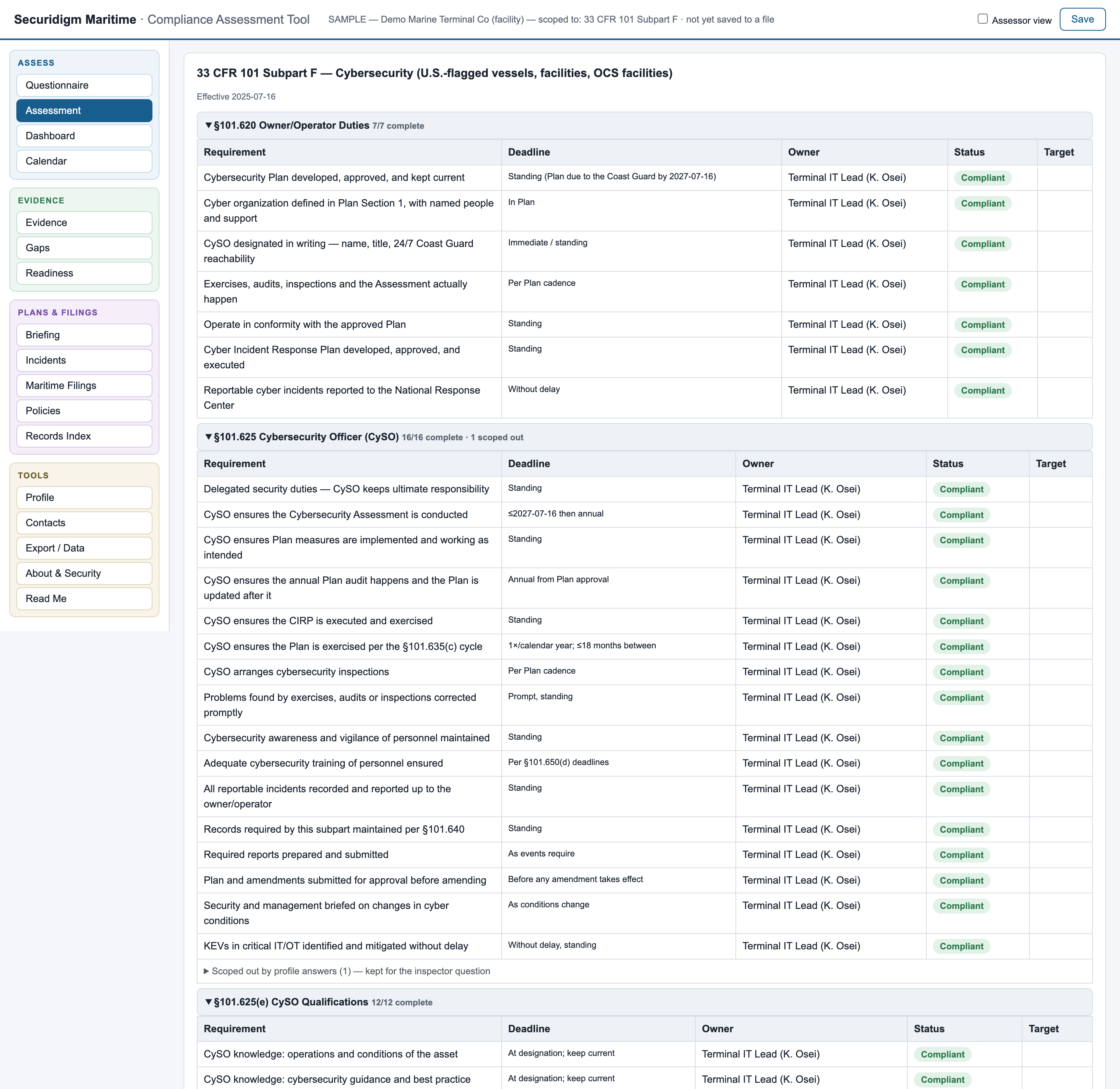
Click to enlargeSubpart F runs to roughly 150 distinct duties across eleven sections, with clocks anchored to Plan approval, to the calendar year, and to events as they happen — and citations, filing authority and the assessment it lands in all change depending on whether you are a vessel, a facility or an OCS facility. Missing any of it is a finding.
The duties are common but the paperwork is not: your Plan files into the VSA, the FSA or the OCS FSA depending on subchapter, and the approving authority is the Marine Safety Center or your cognizant COTP or OCMI. A generic checklist cites all three and is wrong twice.
72-hour incident reports. 24-hour supplements. 7-day coordinator updates. 60-day notices. Annual plans, exercises, and reports anchored to approval dates nobody wrote down.
Once your Cybersecurity Plan is approved under §101.630(d), the audit surface is that Plan. Drift from your own commitments and you can be non-compliant while every generic checklist shows green.
An inspector can request your asset inventory, firewall rules, diagrams, logs — even a 24-hour packet capture. The question is never whether you did the work; it's whether you can show it in five seconds.
Real screenshots, real sample data, no mockups — this is the actual tool, which you can hold in your hands five minutes from now.
Six areas below, numbered in the order you use them: scoping, assessment, deadlines, evidence, readiness, assessor layer.
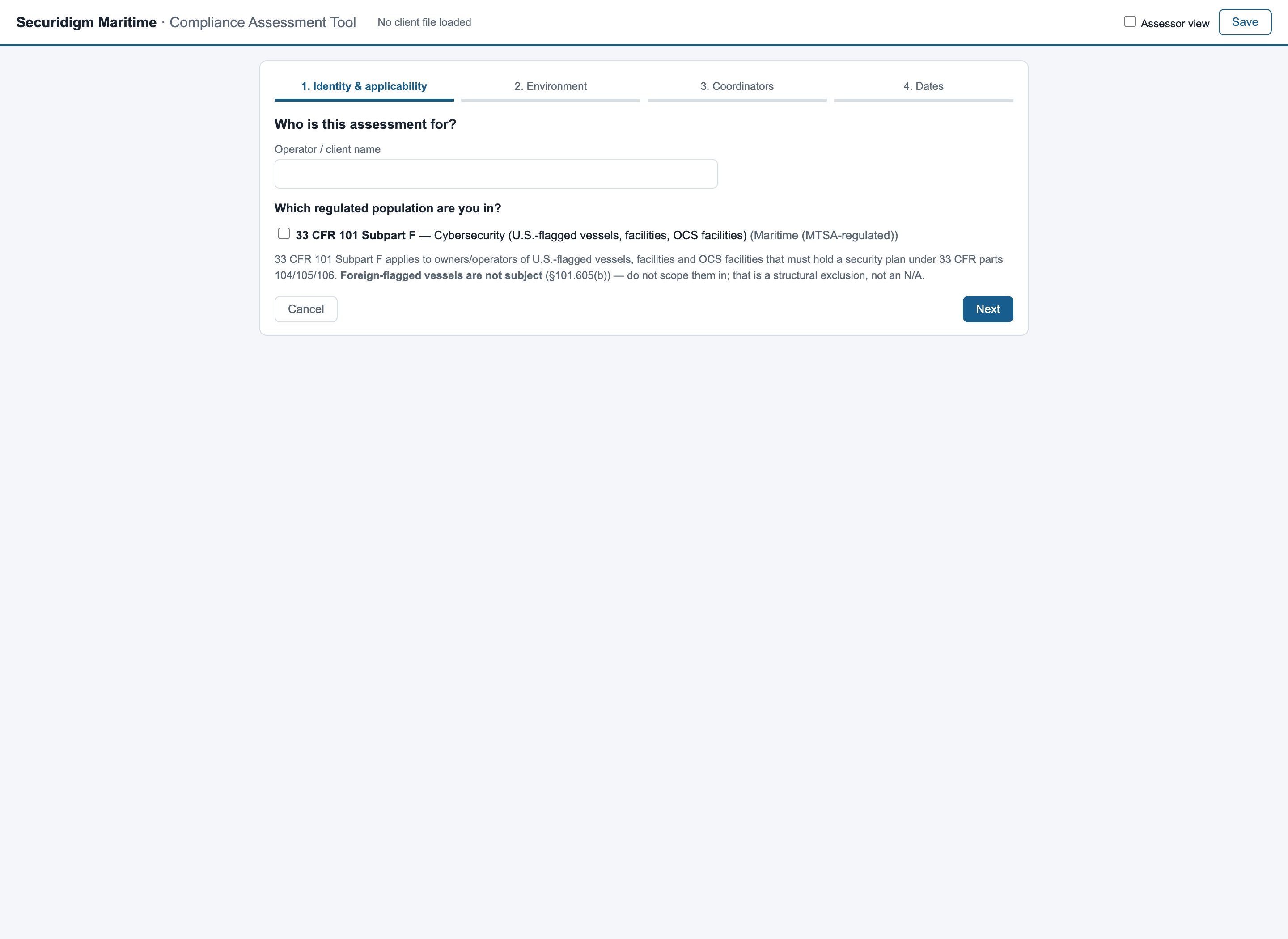
A four-step setup interview asks the question that decides everything downstream — which subchapter you fall under: 104 vessel, 105 facility or 106 OCS facility — plus a handful of scoping facts (do you report through a 33 CFR 6.16-1 channel? multiple CySOs? an Alternative Security Program?).
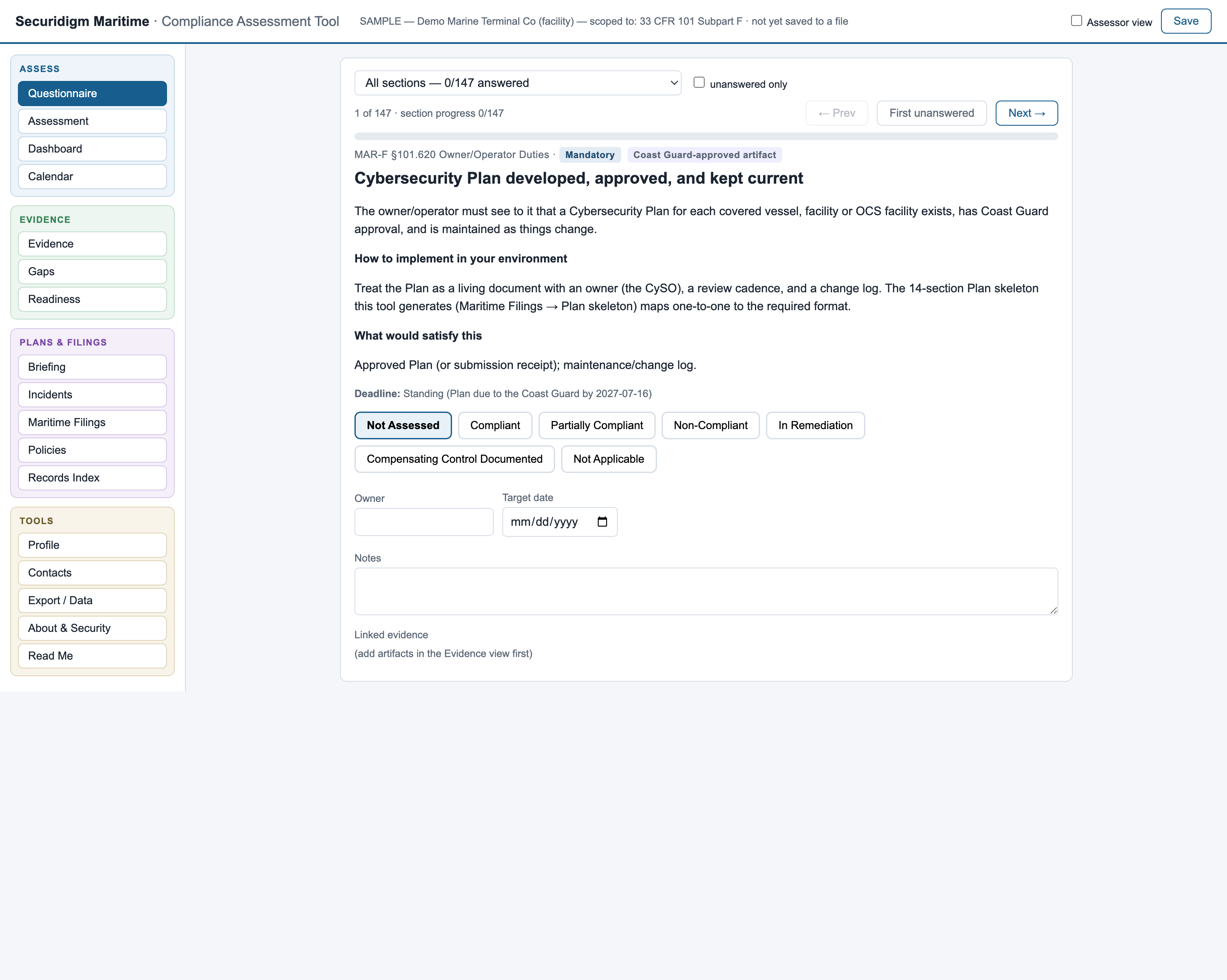
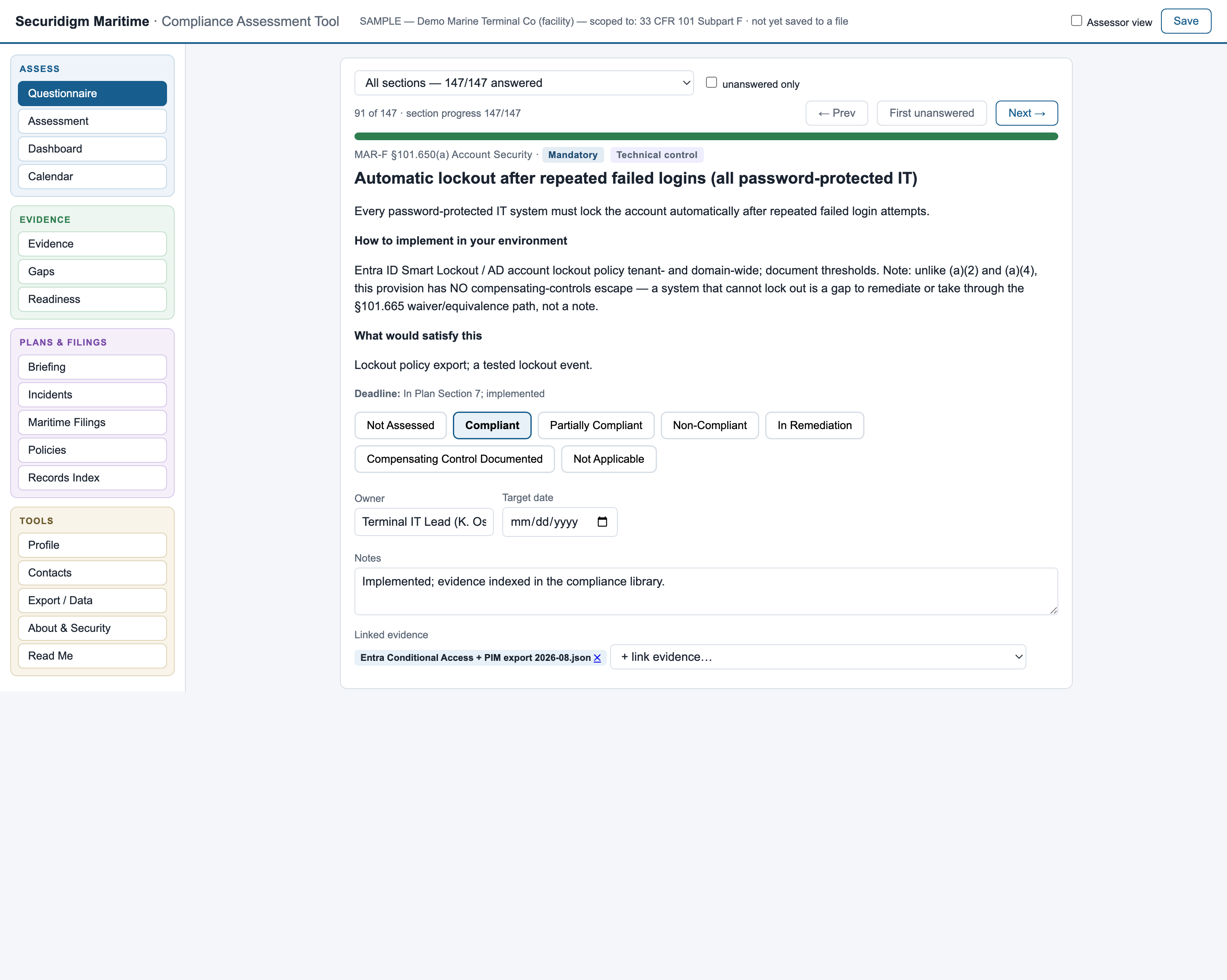
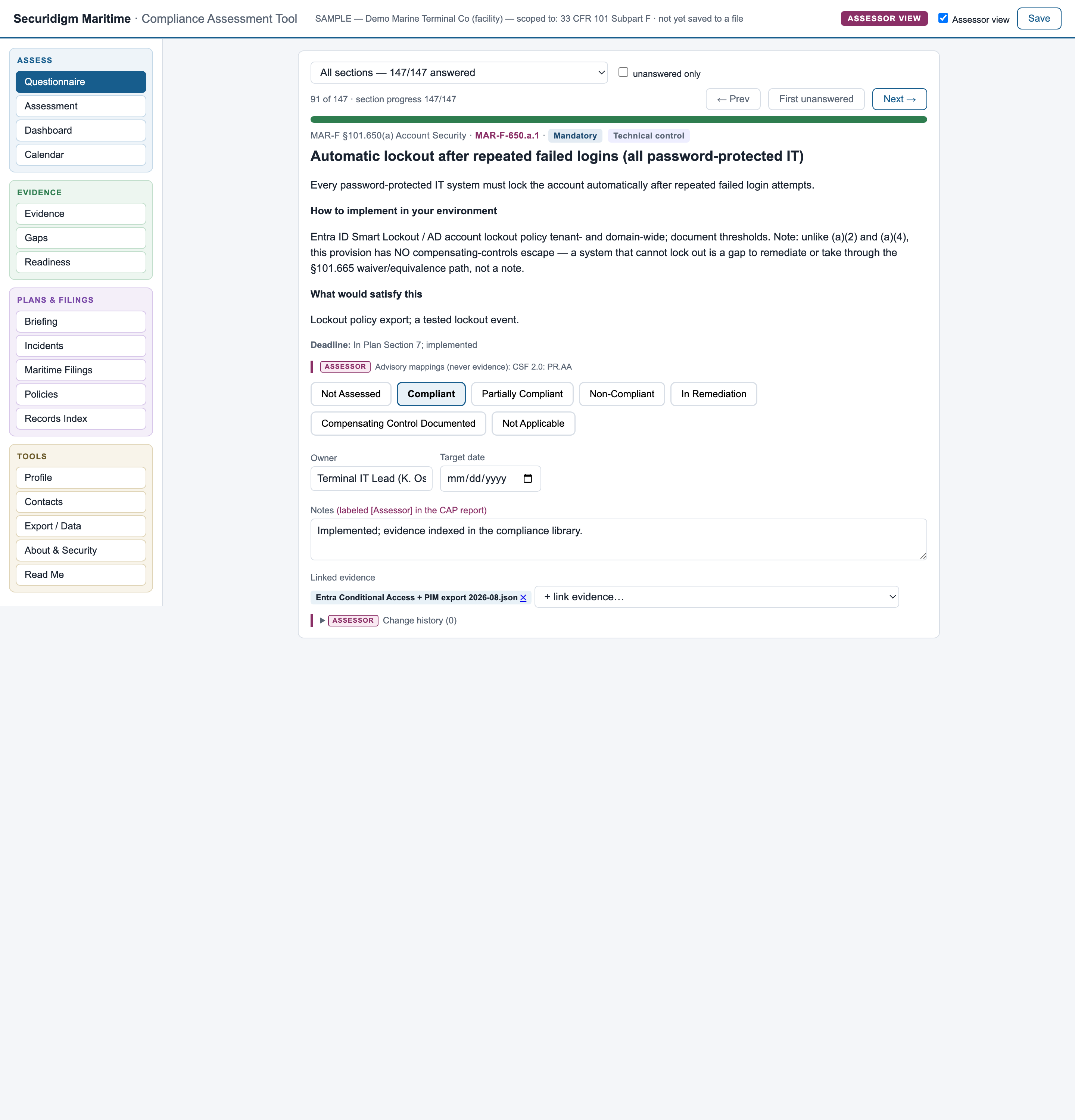
Click to enlargeOne requirement per screen: plain English first, the section cite as a footnote. Every screen tells you how to implement it in your environment — naming actual tools and configurations — and what evidence would satisfy it, down to "an attendance roster by position, because a sign-in sheet without positions is the classic audit failure."
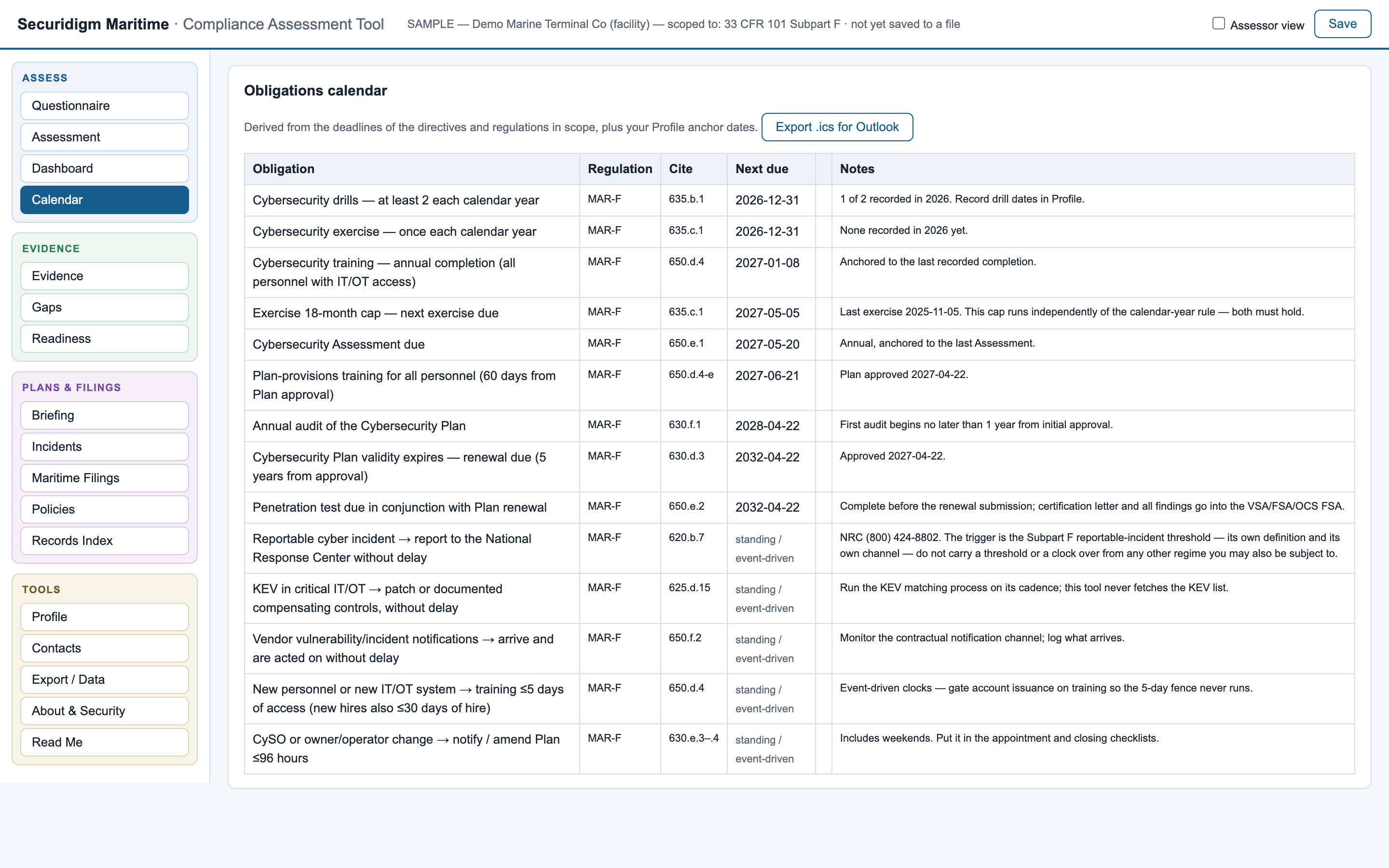
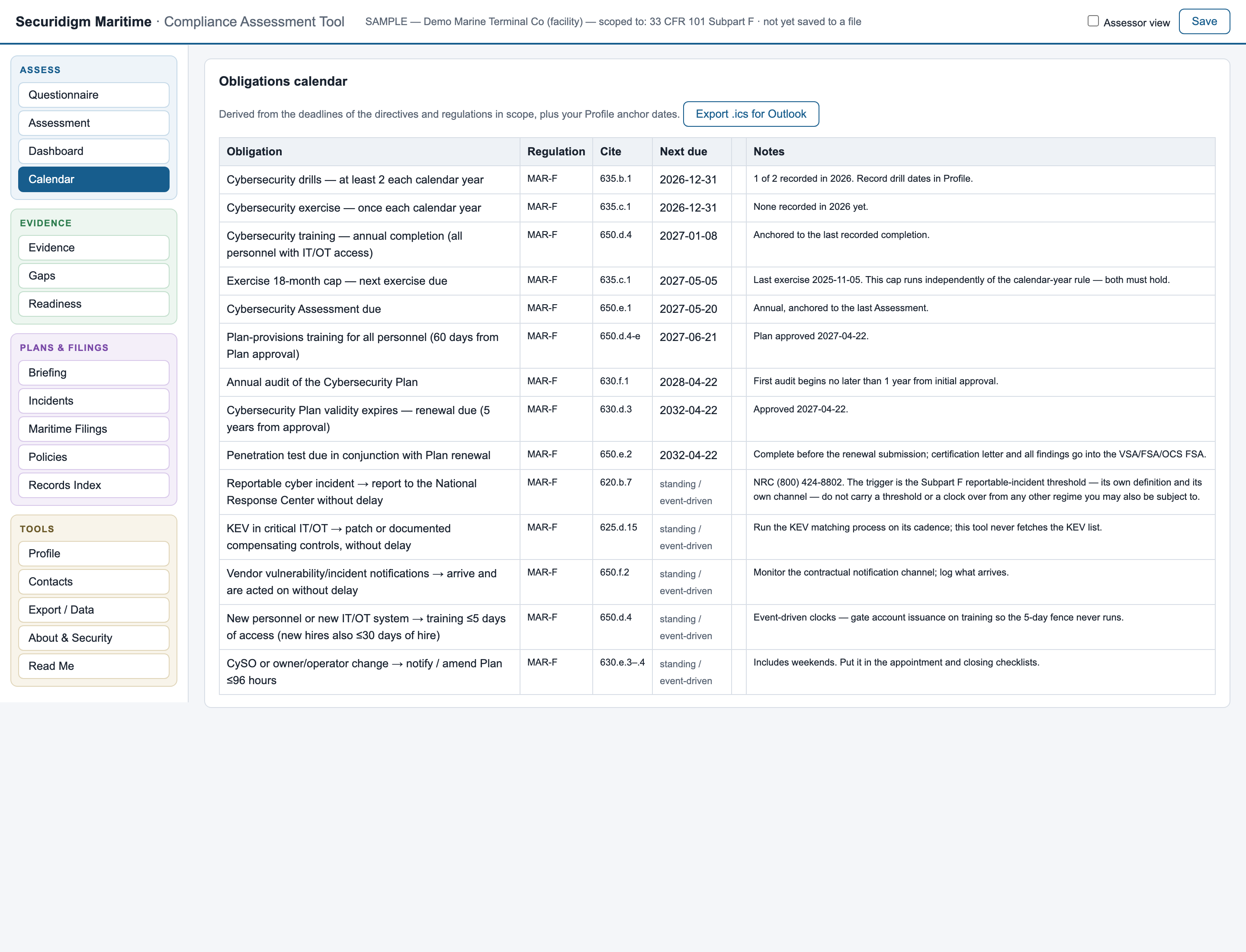
Click to enlargeEnter your anchor dates once — plan approval, last exercise, last assessment — and every derived obligation appears with its clock: annual plan updates, exercise anniversaries, biennial architecture reviews, amendment windows, the next renewal.
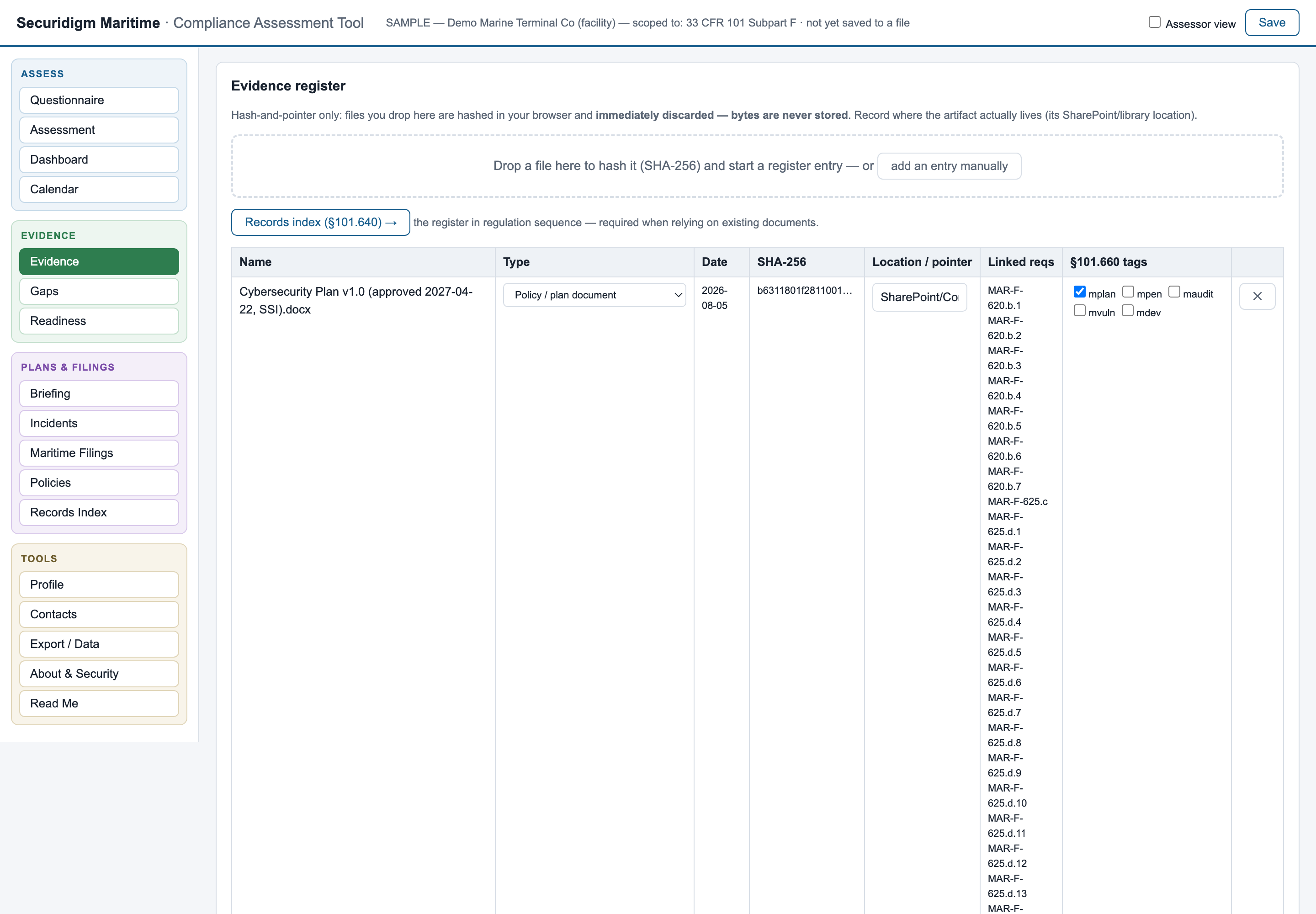
Click to enlargeDrop a file on the register: it's hashed (SHA-256) in your browser's memory and the bytes are immediately discarded. What's recorded is the name, date, fingerprint, and where the artifact actually lives. Your firewall rules and network diagrams stay in your controlled repository — the tool holds proof they exist and haven't changed, never the documents themselves.
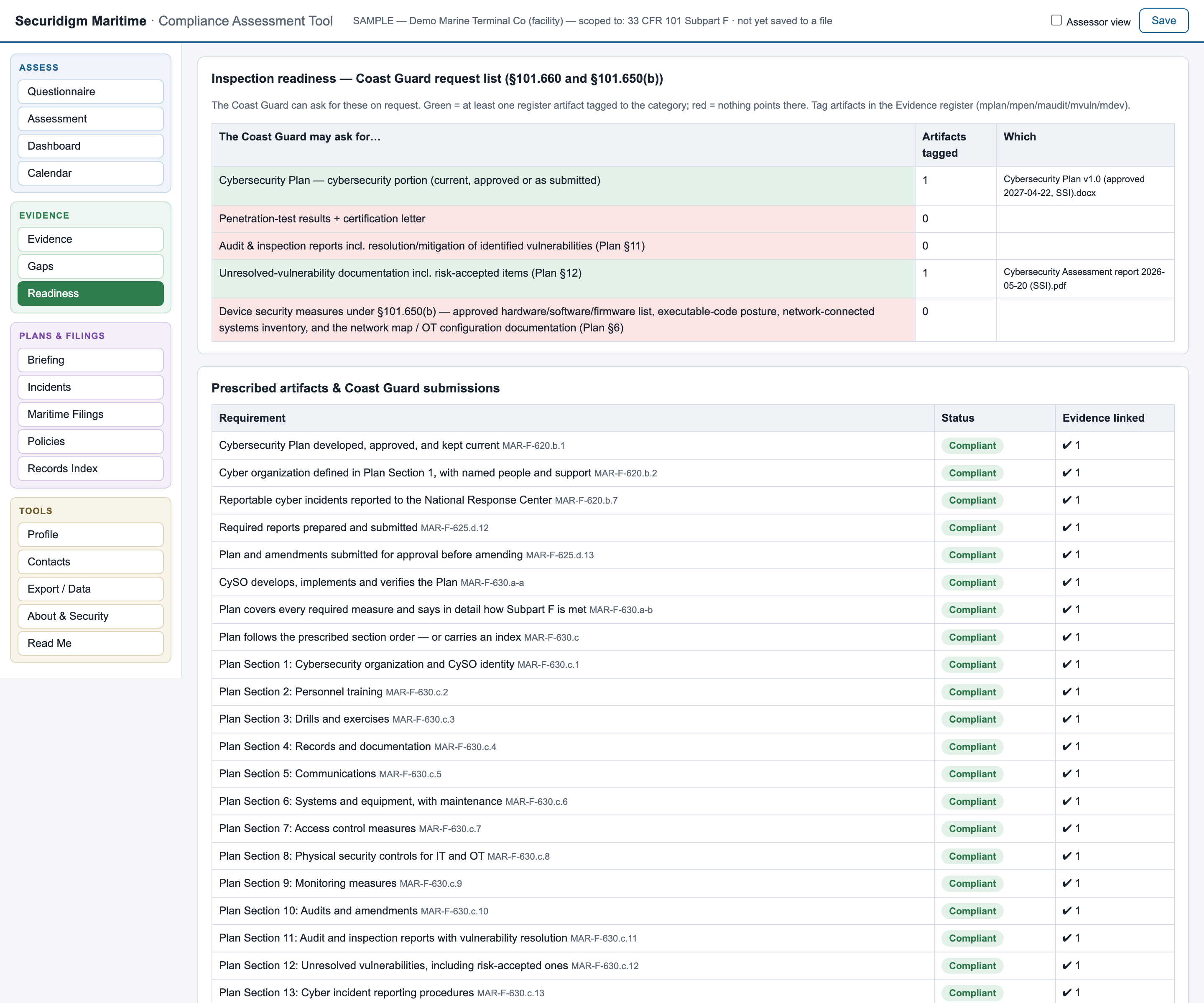
Click to enlarge§101.660 requires records to be produced to the Coast Guard on request, and §101.640 sets out what must be kept. The readiness view cross-references that against your evidence register: green where you can produce it, red where you can't. Including the ones that catch everyone: can you evidence the drills and exercises for this calendar year, and the training completed within 60 days of Plan approval?
Click to enlargeAn assessor view adds what a consultant needs and an operator doesn't: requirement IDs, candid commonly-failed commentary, advisory framework mappings (NIST CSF 2.0, SP 800-82), and the Implementation Plan commitment layer — what your approved plan promised, next to what you actually do, with a drift flag that watches the amendment clock.
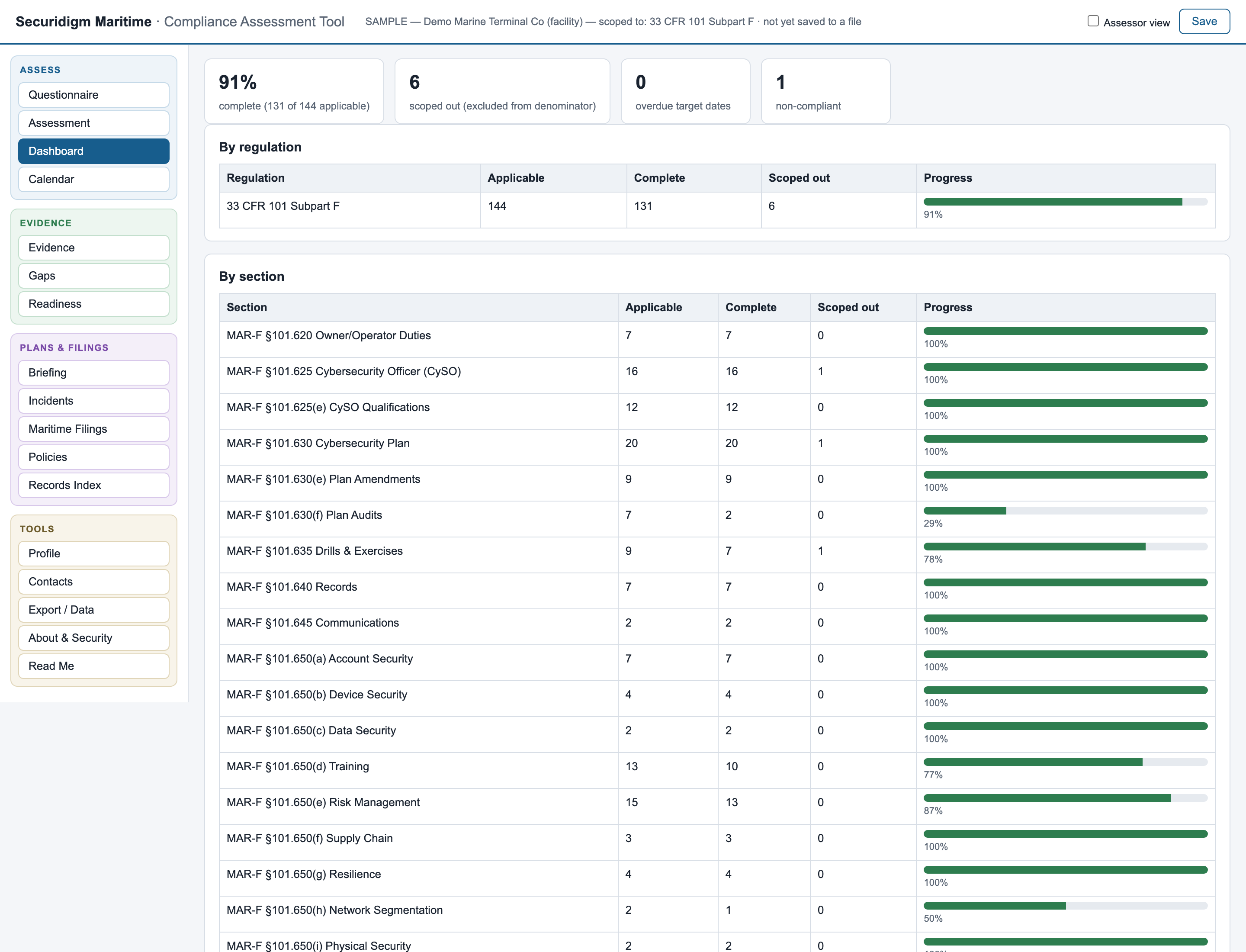
Click to enlargeA print-to-PDF executive briefing: completion, overdue items, filings due in 90 days, top risks. What you hand a GM who will never open the grid.
Read Me, live-formula dashboard, full assessment, gap register — frozen headers, dropdowns, autofilter. Stands entirely alone; no app needed to read it. Zero lock-in.
Subpart F changes by rulemaking, on no schedule — so we watch the Federal Register and the eCFR, including the docket on delaying vessel compliance dates. When it changes, your file migrates: statuses carry forward, changed requirements are flagged for re-review, and the what-changed report is stored as a permanent audit trail.
Guidance defaults to Microsoft 365/Azure tooling; flip one setting and every affected requirement shows the capability actually required plus common equivalents — CrowdStrike, Splunk, Okta, Tenable, Veeam and more.
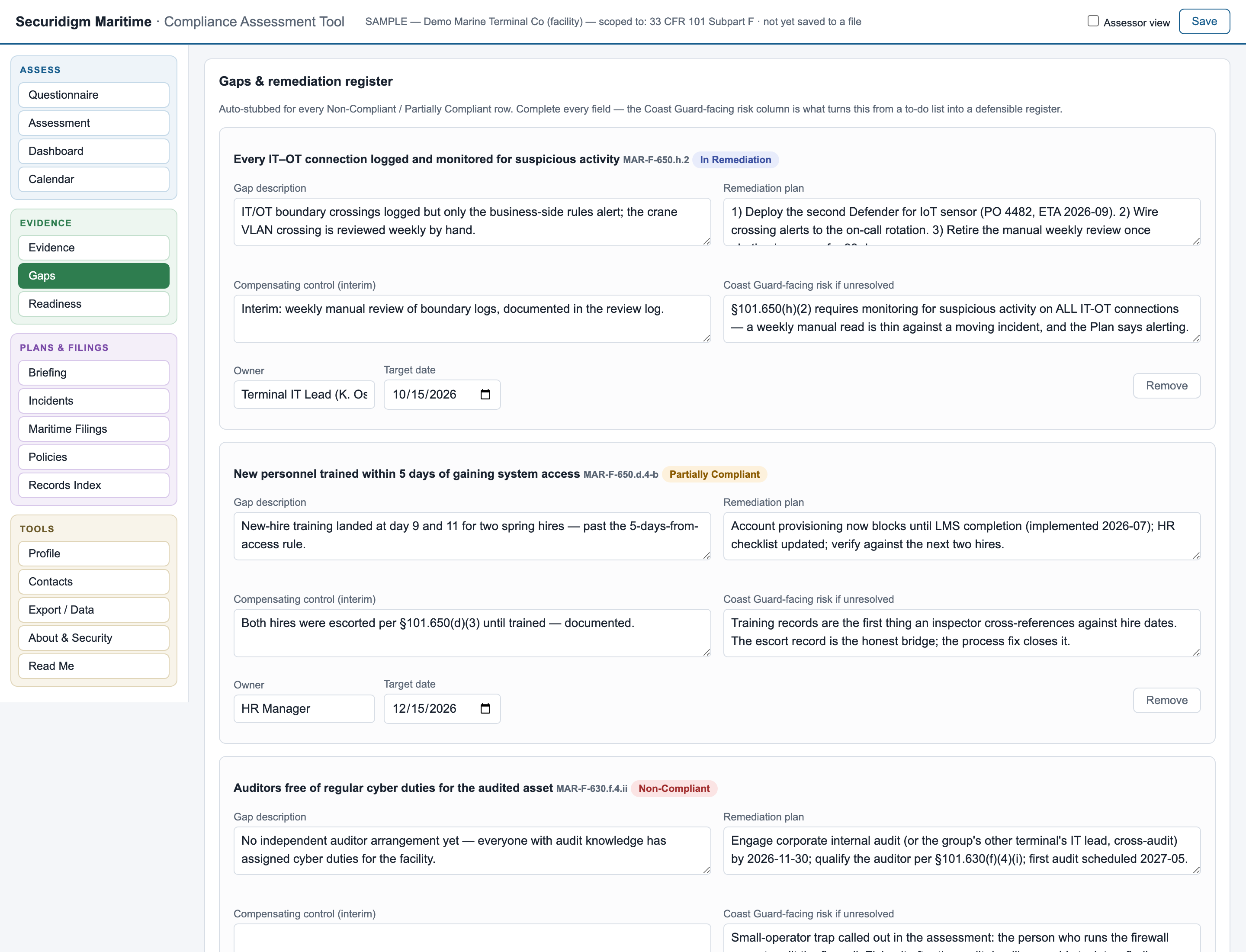
Every gap carries description, dated remediation plan, interim compensating control, and the Coast-Guard-facing risk written the way an inspector would see it.
Scoped-out requirements leave the denominator entirely. "Not Applicable" requires a reason. The statuses that carry a notification duty say so, loudly.
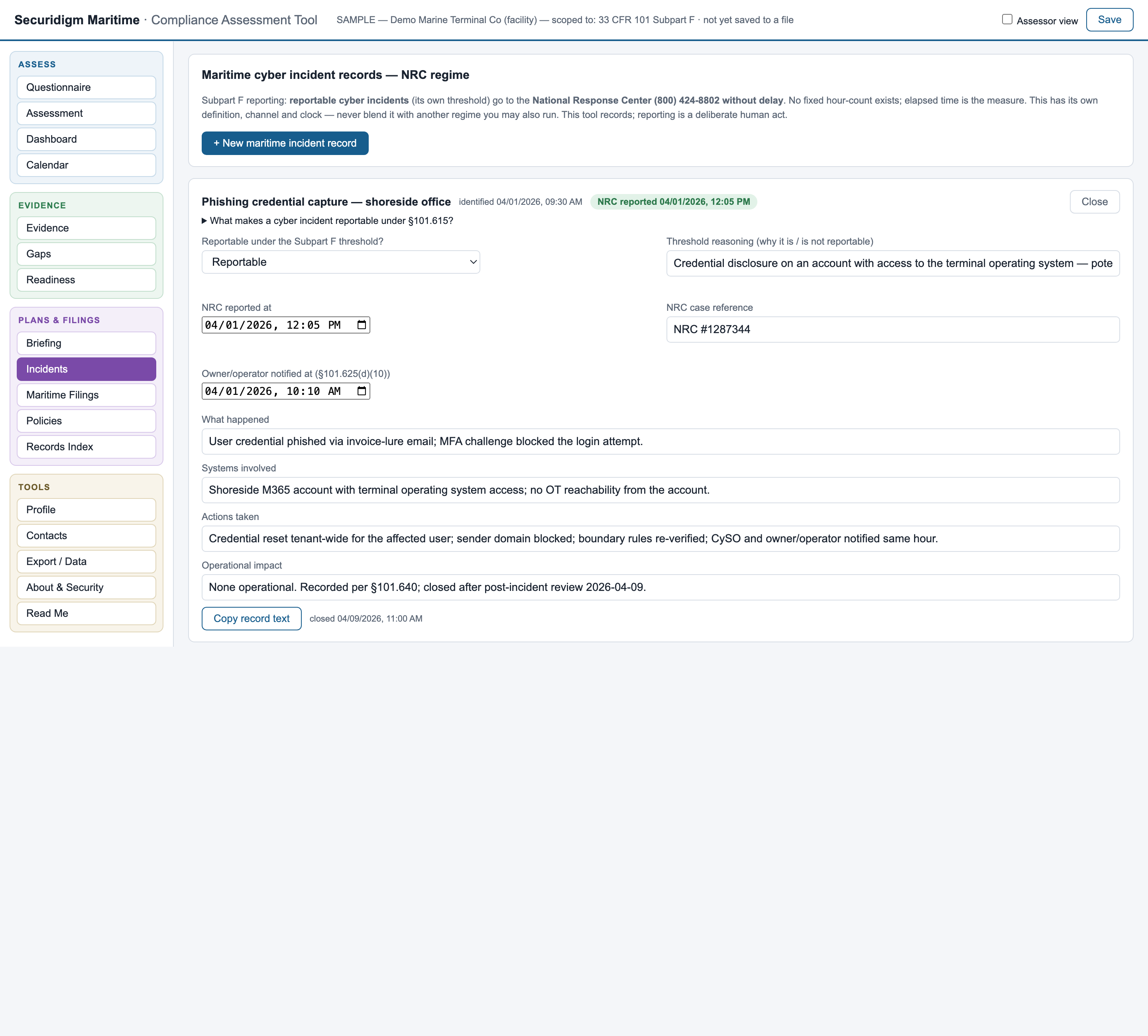
Maritime operators get the §101.630(c) Cybersecurity Plan skeleton — all fourteen prescribed sections — plus the Assessment record, the penetration-test certification letter, the Cyber Incident Response Plan starter, and NRC incident records on the correct without-delay regime.
The mitigation-series directives require three approved artifacts — an Implementation Plan, an Assessment Plan, and an annual Assessment Report — plus timed incident reports and the written policies the directives demand by name. Securidigm Maritime builds each one from the assessment you already did, and refuses to produce anything that would certify a breach.
Log an incident with the moment it was identified — backdated to the real time, because that is when the directive's clock starts, not when you opened the tool. A live countdown runs against the absolute deadline; every "new information" entry starts its own 24-hour supplement clock.
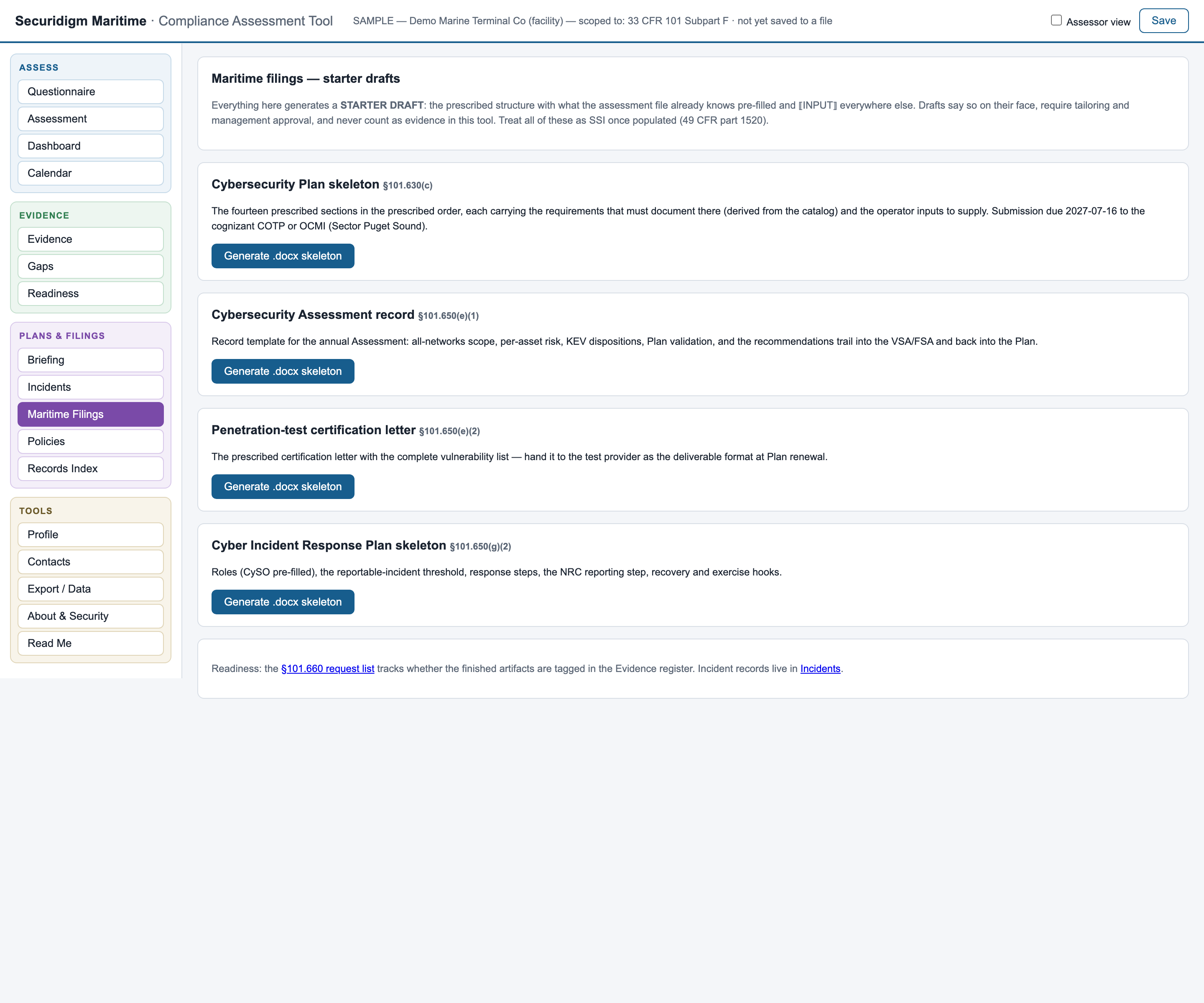
Click to enlarge§101.630(c) prescribes the Plan's sections and their order, and requires an index if you depart from it. The generator emits all fourteen in order, routing every requirement to the section the regulation itself says it is documented in — then fills each from what your assessment already records: statuses, linked evidence, programme dates, open items. ⟦AUTO⟧ marks what it drew from your file; ⟦INPUT⟧ marks what only you can write. It is a starter draft and says so on every page.

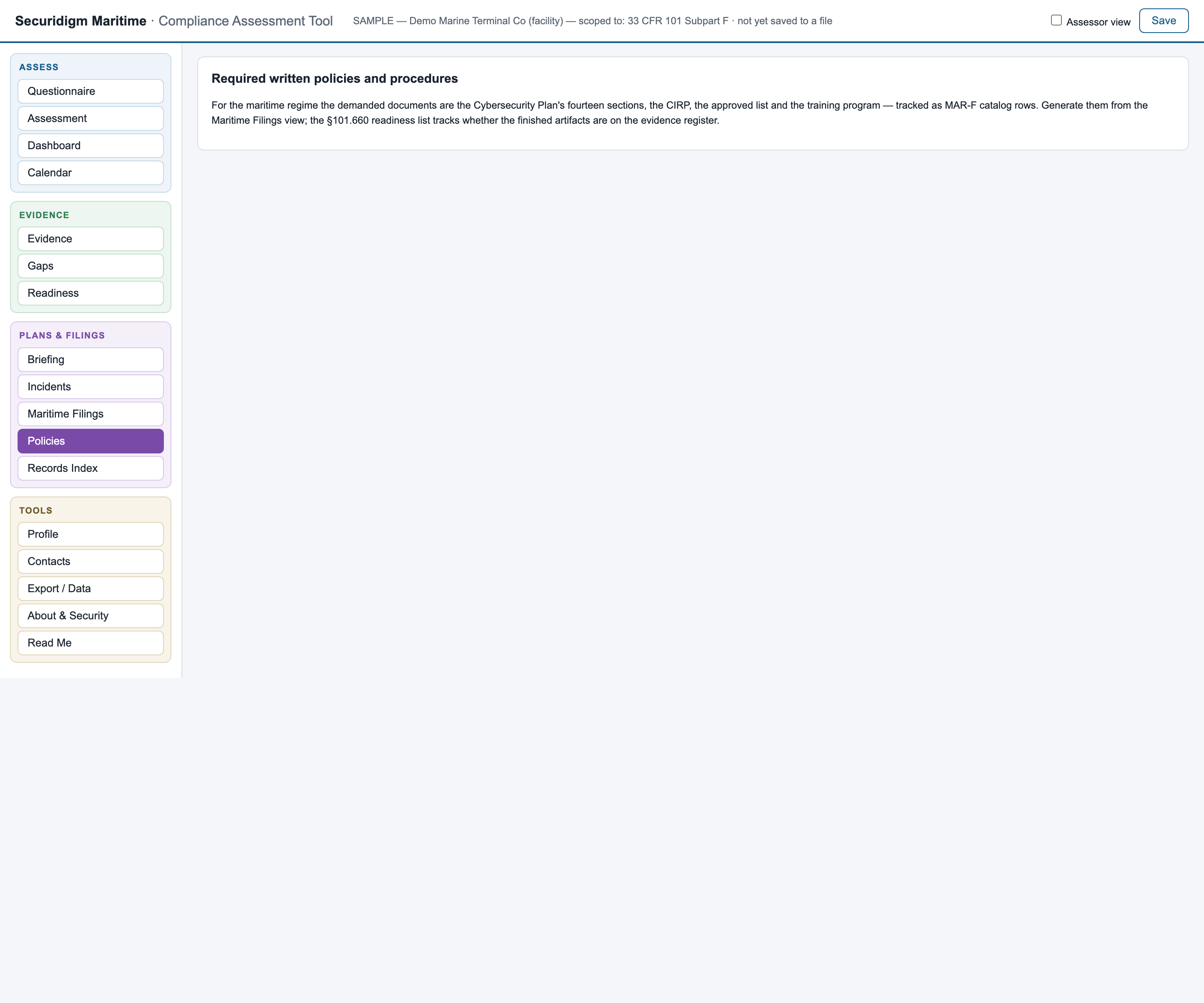
Subpart F names the written policies and procedures you must hold, and the checklist derives that list from the regulation text rather than from a generic template. It tracks three states — on record, missing, and the one that causes findings: requirement marked compliant, no written policy on record. The samples ship with one policy deliberately revealed as missing, so you can see the red state at work.
Click to enlargeThe Maritime edition generates the §101.630(c) Plan skeleton in the regulation's own prescribed section order, each section carrying the requirements that must document there — with each requirement's assessed status and on-file evidence, your program dates, the open-gap register and your incident history pre-filled from the assessment, everything the file knows marked for your review. The calendar runs the deadlines the way the regulation actually works: the 2027 Plan and Assessment dates, the drill count per calendar year, the exercise rule's two independent constraints — and the January 2026 training baseline shown honestly as overdue if your records can't prove it.
Click to enlargeYour evidence register re-sorted into regulation sequence — the index the regulative requires when you rely on existing documents. Printable, and embedded in the Plan skeleton.
Your Plan goes to the Marine Safety Center or to the cognizant COTP or OCMI depending on your subchapter, and reportable cyber incidents go to the National Response Center. The Contacts view names the right one for each, with your CySO and the designation details beside them.
Every change, when it was made, and the before-and-after values — the trail an inspector asks for when a status looks too convenient.
A snapshot on every save; the executive briefing shows "61% → 84% since March" instead of a number with no direction.
The Plan skeleton, Assessment record, certification letter and CIRP starter are written directly in the .docx format by the tool itself — the same zero-dependency, zero-network discipline as everything else.
Every generated document is templates, rules and arithmetic over your own data. The same input always produces the same output, and there is no model to leak your SSI into.
Your completed assessment describes your vulnerabilities. It should never live in someone else's cloud. So this tool isn't a portal, a platform, or a service — it's a single readable file, and every claim below is verifiable on your own machine in five minutes.
No analytics, telemetry, update checks, external fonts, or cloud calls. Nothing you type is transmitted to the Coast Guard, a vendor, or anyone. Enforced by an automated test on every release of the file.
The client file you save where you choose, and a crash-recovery copy in your browser you can wipe with one button. Nowhere else. Ever.
Evidence files are fingerprinted in memory and discarded. A stolen copy of your assessment file contains pointers and hashes — not your firewall rules.
No libraries, frameworks, or package dependencies. There is no supply chain to compromise and no upstream project that can be abandoned.
The tool submits nothing to the Coast Guard. Every submission remains the deliberate, human, prescribed act the regulation requires. SSI-aware handling guidance is built in — the Plan is SSI expressly, under §101.630(b).
If the tool disappeared tomorrow, your record survives: an open-format data file plus a standalone Excel workbook with live formulas.
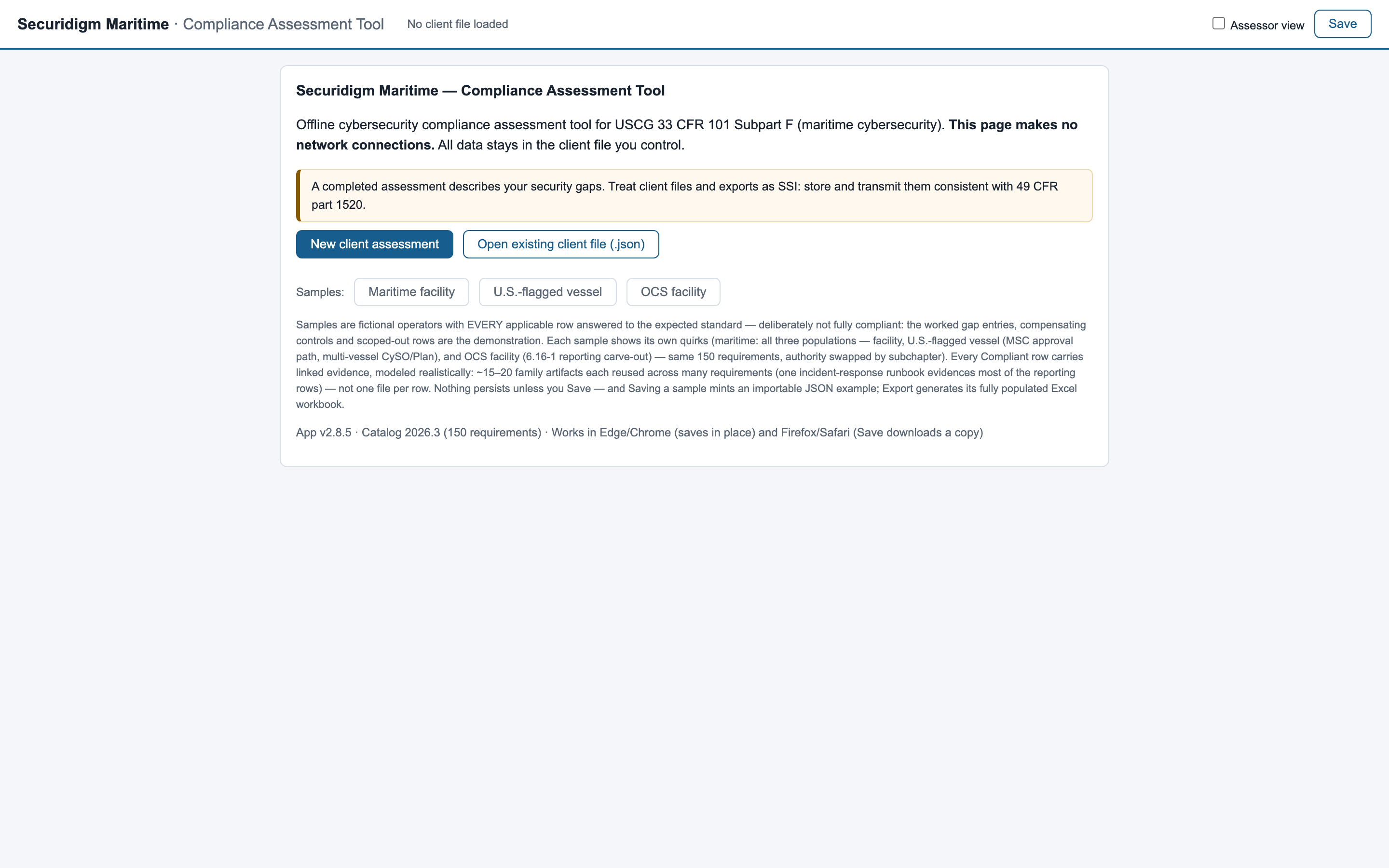
One demo build, carrying all three population samples — a waterfront facility, a U.S.-flagged vessel and an OCS facility. Each has every applicable requirement answered to the standard we expect, deliberately not fully compliant, because the worked gap entries, the open findings and the evidence trails are the demonstration. Every view, every feature, freely explorable; nothing persists. Running a live assessment of your operation — with saving, your data file, and annual regulatory updates — is what the licensed build adds.
The Plan files into the FSA per 33 CFR 105.305 and the authority is your cognizant COTP or OCMI. Shows the Coast Guard clocks live — Plan approval anchoring the audit and the 5-year validity, the 60-day post-approval training clock — the drill and exercise date-list rules, a closed NRC-reported incident with its case reference, an open finding against an unregistered vendor connection, and the worked auditor-independence gap that is the small-operator trap.
Same 150 requirements, but the Plan files into the VSA per 33 CFR 104.305 and approval runs through the Marine Safety Center. Modelled with multiple CySOs and a multi-vessel Plan, because that population exists.
Subchapter 106: the same 150 requirements, but the Plan files into the OCS FSA per 33 CFR 106.305 and the authority line reads for the cognizant COTP or OCMI. Modelled with an operator reporting through its own 33 CFR 6.16-1 channel rather than the NRC, because that population exists.
Click to enlargeCoast Guard civil penalties run to five figures per violation per day. Every tier below costs less than the finding it prevents — and every tier keeps your data on your machines. Deliverables are the artifacts Subpart F actually names: the fourteen-section Cybersecurity Plan, the Assessment record, the §101.650(e)(2) penetration-test certification letter, the CIRP, the drill and exercise cadences, and incident records on the National Response Center regime.
One flat price per operator — no per-site, per-vessel or per-population math. An operator also regulated under the TSA surface Security Directives licenses that separate product — Securidigm Surface — alongside this one.
Not covered here? Ask directly — michael@securidigm.com
No. Nothing is sent anywhere, to anyone, ever. Coast Guard submissions remain the deliberate acts the directives prescribe — this tool prepares you for them and tracks them; it never performs them.
In one file, saved wherever you choose — your own server, SharePoint, an encrypted folder. Plus a local crash-recovery copy in your browser that you can clear with one button. There is no cloud component to breach.
A browser. Nothing else — no install, no admin rights, no account, no network. Double-click the file on the most locked-down machine you own and it runs. Chrome or Edge give the best experience (Save writes straight back to your data file); Firefox and Safari also work — there, each Save downloads a fresh copy of the data file and you keep the newest.
One person edits at a time — deliberately: a compliance record needs one accountable pen. The file lives wherever your team shares files, an assessor view adds a second layer of eyes (everything it adds is visibly marked as assessor-layer), every change to a requirement is logged in its history with a timestamp and the before-and-after values, and if two copies do diverge, a built-in merge tool reconciles them difference by difference instead of silently overwriting.
You receive an updated tool file. Open your existing data with it: statuses carry forward requirement-by-requirement, anything that changed is flagged for re-review, and the migration report is stored in your file as an audit trail. Subpart F changes by rulemaking on no fixed schedule, so we watch the Federal Register and the eCFR — including the docket on delaying vessel compliance dates.
No — flip one profile setting and every Microsoft-flavored recommendation appends the capability the requirement actually needs plus common equivalents. The directives are capability-based; no requirement anywhere names a product.
No, and it says so prominently. It's a working self-assessment built from careful paraphrases of the directive text — the tool itself instructs you to validate requirement wording against the official regulation before any submission or inspection.
It generates a structured skeleton from your assessment — all fourteen sections in the order §101.630(c) prescribes, each filled from what your file already records, with ⟦AUTO⟧ marking what it drew from your data and ⟦INPUT⟧ marking what only you can write. The Assessment record, the pen-test certification letter and the CIRP starter come the same way. Every one states plainly that it is a starter draft, and none of them is evidence.
It's the full interface with three fully worked sample operators — a vessel, a facility and an OCS facility — explore everything, verify every security claim. What it doesn't do is run an assessment of your own operation: creating client assessments, saving, and file import are licensed-build features, and licensed builds include the catalog updates when the Coast Guard amends Subpart F. The demo exists so your decision is informed, not so the decision is unnecessary. Verify the file you received is authentic — check with shasum -a 256 (macOS/Linux) or certutil -hashfile <file> SHA256 (Windows) against the published hash:99001079595d7fdc39a1e294d3a6ee1f9424331130447418f155387f1e3afbde
Yes — this product covers 33 CFR 101 Subpart F end to end: all 150 individually enumerated requirements for U.S.-flagged vessels, facilities and OCS facilities, the Coast Guard clocks (the 2027 Plan and Assessment deadlines, the already-passed 2026 training baseline shown honestly as overdue, the twice-a-year drill and 18-month exercise rules), the fourteen-section Cybersecurity Plan skeleton, and incident records on the National Response Center's without-delay regime — with elapsed time shown and no hour-count invented, because Subpart F states none.
A license is flat per operator — no per-site, per-vessel or per-population math. Within the tool, an assessment file tracks one regulated population (facility, U.S.-flagged vessel, or OCS facility — the choice sets the review authority, COTP/OCMI or the MSC, in every relevant row), and the rule allowing one CySO to serve several assets is modeled where the regulation provides for it; an operator spanning populations simply runs a file per population under the same license. An operator also subject to the TSA surface Security Directives licenses that separate product (Securidigm Surface) alongside this one and keeps a separate assessment file for it
Inspect it. A single readable file with no network access and no dependencies has far less that can go wrong than any portal — and unlike a platform, every security claim it makes can be tested by your own IT person in minutes.
Open it, explore the samples, run the airplane-mode test. If it isn't obviously useful in fifteen minutes, delete it — it uninstalls by being deleted.
Request Demo →